Use the Action Button
The C456HD comes with a physical red action button located on the chassis of the device near the top. Upon being pressed, its purpose is to place a call to an administrator-configured emergency number.
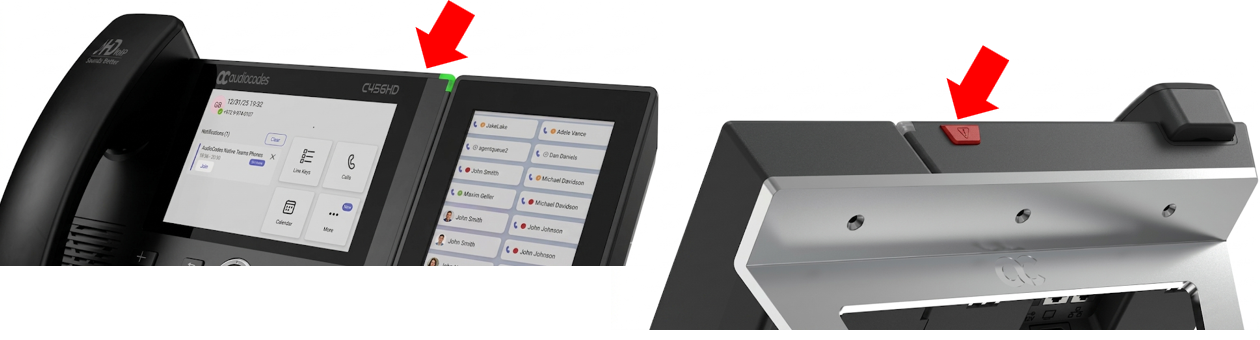
| ➢ | To place an emergency call: |
| ■ | Press and hold the action button for at least 2 seconds. The phone automatically initiates the emergency call. |
For the emergency call feature to function correctly, the following requirements must be met:
| ● | The phone must support SIP. For this, the SBC must be configured for WebRTC. For details, refer to the WebRTC section in the Mediant Software (VE-CE-SE) SBC User's Manual. |
| ● | The administrator must configure the emergency number using the following configuration parameter: personal_settings/sip/emergency_number=<emergency_destination> |
If these requirements are not met, pressing the button will not place an emergency call. Instead, a message will be displayed indicating that the button is not functional.